Industry Websites
Dental Website Design: 12 Essentials That Help Patients Choose and Book
Patients choose a dentist differently from how they choose most businesses. Some just want the nearest practice with an appointment this week; others are anxious, comparing costs for a major treatment, or looking for someone they can trust with their children. A good dental website serves all of them — quickly, on a phone, without making anyone hunt for the booking button.
- Author
- Manpreet Singh, Founder
- Published
- Updated
- Reading time
- 8 min read

In this article
- What patients need from your website
- Dental clinic websites in India
- Booking and contact (essentials 1–4)
- Trust and decision-making (essentials 5–8)
- Experience and performance (essentials 9–10)
- Local visibility and privacy (essentials 11–12)
- A page structure that works for most practices
- What affects the cost of a dental website
- Which platform should a dental practice use?
- Mistakes we see most often
- FAQs
Whether you run a single dental office or a multi-chair practice, this guide covers the 12 essentials we plan into every dental website, from page structure and booking to local search and the privacy rules that apply to health information.
What patients need from your website
Most visitors arrive with one of three questions — and the site should answer each within a few seconds:
- “Can I get an appointment, and how?” Booking, phone, location and hours.
- “Can they help with my problem, and what will it involve?” Clear treatment pages.
- “Can I trust them?” Real people, qualifications, transparent fees and a calm, professional design.
Dental clinic websites in India
Everything in this guide applies to clinics in India, and a few points matter even more:
- Make WhatsApp the easy option. In India, WhatsApp is often the quickest way for a patient to get in touch. Put a WhatsApp button on every page, with a pre-filled message that names the treatment the patient was reading about.
- Match your Google Business Profile. Patients often compare clinics on Google Maps before they open a website. Keep the clinic name, address, phone number and hours identical on the profile and the site, and give each branch its own page.
- Follow India’s privacy law. The Digital Personal Data Protection Act, 2023, and the DPDP Rules notified in November 2025 govern how you collect personal data. Ask only for what you need on booking forms, explain why, and get clear consent before adding patients to reminders or offers.
- Show fees in rupees. If you publish consultation or treatment prices, show them in ₹ and say exactly what is included.
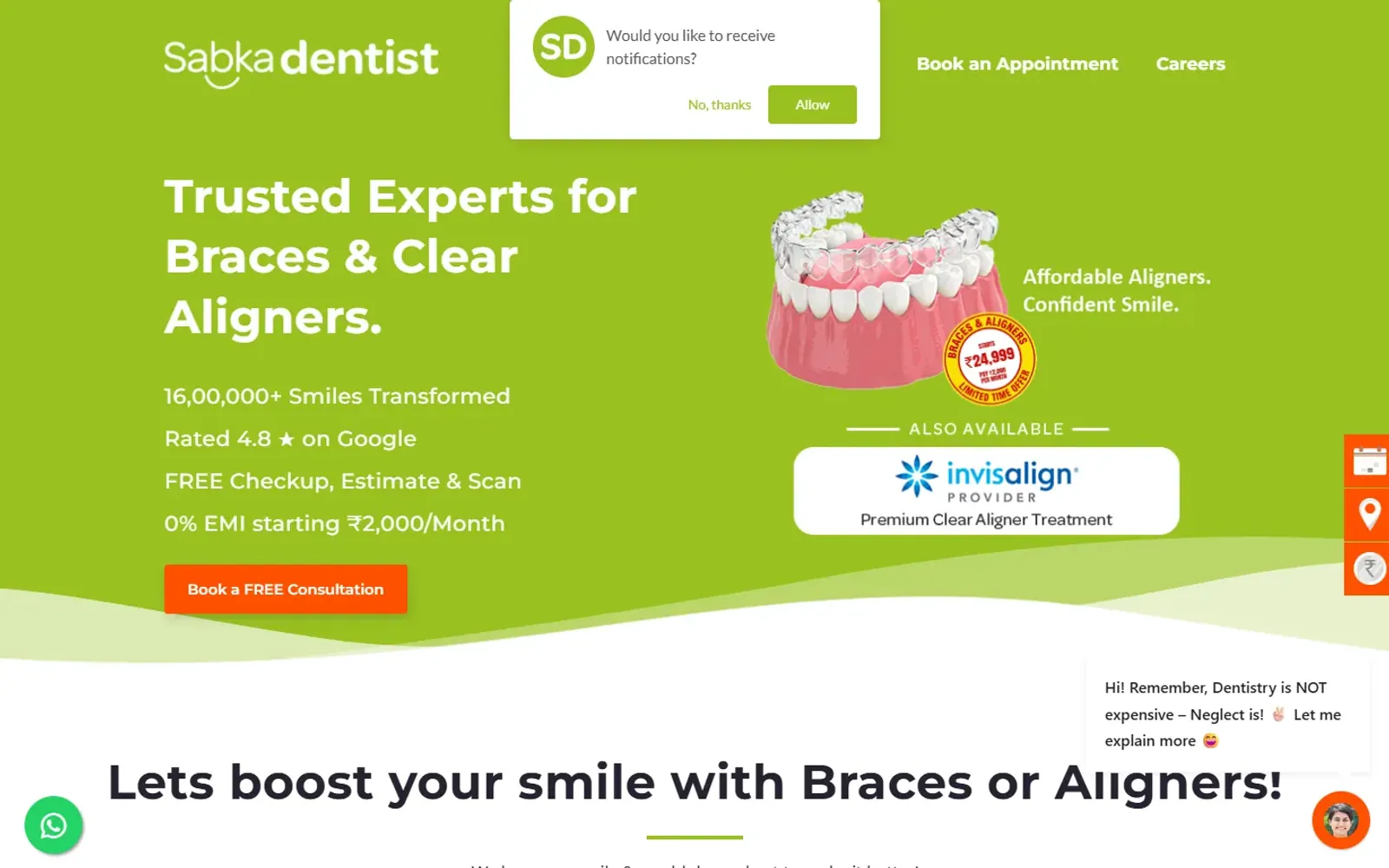
We build dental clinic websites on WordPress from ₹10,000, or as custom sites from ₹20,000. See our dental clinic websites page and the Smilekraft Dentistry case study.
Booking and contact (essentials 1–4)
1. A booking path that’s visible on every page
Put a clear “Book an appointment” button in the header and repeat it at natural decision points — after treatment details, prices and team profiles. If you use an online booking system, link to it directly; if bookings are handled by phone or a request form, say so plainly so patients know what to expect.
2. One-tap call and messaging
Many patients would rather call, especially for urgent problems. Make the phone number tappable on mobile, and offer WhatsApp or SMS where your patients use it — common in India and the UAE, for example.
3. Hours, address and map everywhere
Show opening hours (including emergency arrangements and holiday closures), the full address, parking or transport notes and a map. Keep these details identical to your Google Business Profile.
4. Short, respectful forms
Ask only what you need to respond: name, contact details, preferred time and a short reason. Detailed medical history belongs in your practice-management system, not a website contact form.
Trust and decision-making (essentials 5–8)
5. Real dentists, real photos
Profiles with genuine photos, qualifications, registration details where your regulator expects them, and a few lines about each clinician’s approach. Stock photography of smiling models does little for an anxious patient.
6. A page for each main treatment
Separate pages for check-ups, hygiene, fillings, root canal treatment, implants, aligners, whitening and children’s dentistry let you answer specific questions: what happens, how long it takes, recovery, risks and alternatives, written in plain language. These pages also give search engines a clear match for treatment-specific searches.
7. Fees, insurance and payment options
Cost is a major source of anxiety. Publish starting prices or price ranges where you can, explain what affects the final cost, and list accepted insurance, payment plans or financing. If prices depend on assessment, say how consultations work and what they cost.
8. Genuine reviews — within your regulator’s rules
Reviews and before-and-after photos can reassure patients, but healthcare advertising is regulated differently in each country. Use only genuine reviews with permission, follow your dental regulator’s advertising guidance, and never imply guaranteed results.
Experience and performance (essentials 9–10)
9. Mobile-first and fast
Most local searches happen on phones, often on the move. Design for small screens first and keep pages light. Google’s Core Web Vitals give clear targets: main content visible within 2.5 seconds, responses to taps within 200 milliseconds and minimal layout shift.
10. Accessible to every patient
Readable text sizes and contrast, descriptive link text, alt text on images, forms that work with a keyboard and screen reader, and captions on videos. Accessibility helps older patients and people with disabilities — and makes the site easier for everyone.
Local visibility and privacy (essentials 11–12)
11. Local search foundations
Google says local results are based mainly on relevance, distance and prominence (Google Business Profile Help). Your website supports all three: pages that clearly describe your treatments and location, consistent contact details, and content worth linking to. Add LocalBusiness structured data — Google advises using the most specific sub-type available, and schema.org includes a Dentist type. Multi-location practices should have a dedicated page for each location.
12. Privacy-aware forms and analytics
Health information has special protection in many countries. In the UK, the ICO lists data concerning health as special category data under UK GDPR. In the US, the Department of Health and Human Services has issued guidance on tracking technologies such as analytics and advertising pixels on healthcare websites; part of that guidance was vacated by a federal court in June 2024, so the position on public pages is still evolving.
- Keep analytics and ad pixels off appointment and patient-form pages unless you have confirmed it’s permitted.
- Use a consent banner where the law requires one, and a clear privacy policy.
- Send form submissions securely and to as few systems as necessary.
A page structure that works for most practices
| Page | Purpose |
|---|---|
| Home | Who you are, where you are, main treatments and the booking path |
| Treatments (hub + one page each) | Answer treatment-specific questions; match treatment searches |
| Fees & payment | Reduce cost anxiety and unqualified enquiries |
| Our team | Build trust with real clinicians |
| New patients / What to expect | Reassure anxious patients; explain first visits |
| Emergency dentistry | Capture urgent searches with clear instructions |
| Location(s) & contact | Hours, map, parking, transport; one page per location |
| Blog or patient guides (optional) | Answer common questions in depth |
You can see how we apply these principles in our healthcare work, including Smilekraft Dentistry and other clinic and dental websites.
What affects the cost of a dental website
Quotes for dental website design vary widely because they describe different amounts of work. These are the factors that move the price most:
- Number of treatment pages. A page for each main treatment takes more planning and writing than one combined services page — and usually performs better.
- Booking and integrations. A simple request form costs less than connecting an online booking system or practice-management software.
- Branches. Each location needs its own timings, map, contact details and often its own page.
- Content and photography. Real team and clinic photos and patient-friendly treatment copy take time to produce, whoever creates them.
- New site or redesign. A redesign adds URL mapping and redirects so the visibility your current site has earned isn’t lost.
- Care after launch. Updates, backups and security monitoring are an ongoing cost, not a one-off.
For typical published price ranges for business websites, see our itemised guide to WordPress website costs. For a quote based on your practice, see how we approach dental clinic websites.
Which platform should a dental practice use?
For most single and small multi-location practices, WordPress is a practical choice: your team can update treatments, fees and team profiles, and it integrates with common booking tools. A custom build makes sense when you need deeper integration with practice-management software or unusual patient journeys. If you already have a site that ranks, follow a redesign checklist before replacing it.
Mistakes we see most often
- Hiding the phone number or booking button below the fold on mobile.
- One long “Services” page instead of separate treatment pages.
- Stock photos instead of the real team and premises.
- Contact details that don’t match the Google Business Profile.
- Analytics or ad pixels on appointment forms without checking the privacy rules.
Frequently asked questions
At minimum: a visible booking option, tappable phone number, hours and location, separate pages for main treatments, team profiles with real photos, fee or payment information, and a clear privacy policy. Mobile performance and accessibility matter throughout.
Where possible, yes. Starting prices or ranges, with an explanation of what affects the final cost, reduce anxiety and help patients decide. If prices depend on assessment, explain how consultations work.
It helps, but it isn’t the only option. Many patients still prefer to call. Offer the routes your practice can actually manage — online booking, a request form, phone and messaging — and make each one easy to find.
Often, but with care. Health information is specially protected in many countries, and US guidance has addressed tracking technologies on healthcare sites. Keep tracking off appointment and patient forms unless you’ve confirmed it’s allowed, and check with your compliance adviser.
For most practices, yes. It lets your team update content, supports booking integrations and can be built to be fast and accessible. Larger groups with complex integrations may benefit from a custom build.
It depends on the number of treatment pages, branches and integrations such as online booking, whether content and photography are included, and whether it is a new site or a redesign. Ask for itemised quotes so you can compare like with like.
Usually, yes, if the redesign is planned for it: every old page is mapped to its new address with a 301 redirect, content and titles that already perform are kept, and Search Console is checked after launch. Some short-term movement is normal.
Sources
- DPDP Rules, 2025 Notified — Press Information Bureau, Government of India
- How to improve your local ranking on Google — Google Business Profile Help
- Local business (LocalBusiness) structured data — Google Search Central
- What is special category data? — Information Commissioner’s Office (UK)
- Use of Online Tracking Technologies by HIPAA Covered Entities and Business Associates — U.S. Department of Health and Human Services
- Web Vitals — web.dev (Google)
Prices and platform details were checked on 22 November 2026 and can change. Confirm current figures with each provider.